Online safety games for kids: Quick challenge. A message pops up on the screen: “YOU WON a free hoverboard! Tap to claim!”
You’ve got seconds. TAP IT FAST or CLOSE IT?
Easy, right? Now do it ten times in a row, against the clock, with your nine-year-old watching. That’s Quick Scan, one of the few online safety games for kids that grown-ups lose at too. And it’s free.
What Is Quick Scan?
Quick Scan lives in the Cyberlingz Cyber Arcade. It plays in a browser, with no download, and it’s made for ages 8-13.
- An alert pops up on the big screen: a picture and a short message.
- Tap the right move before the scan bar runs out. Think CLOSE IT, SAY NO or TELL AN ADULT.
- 10 cards a round, 3 shields, and a bonus for being quick.
- About one card in three is perfectly safe. It’s not about being scared of everything. It’s about telling real from fake.
A round takes a few minutes. Most kids ask for another one.
Two Decks, Two Big Questions
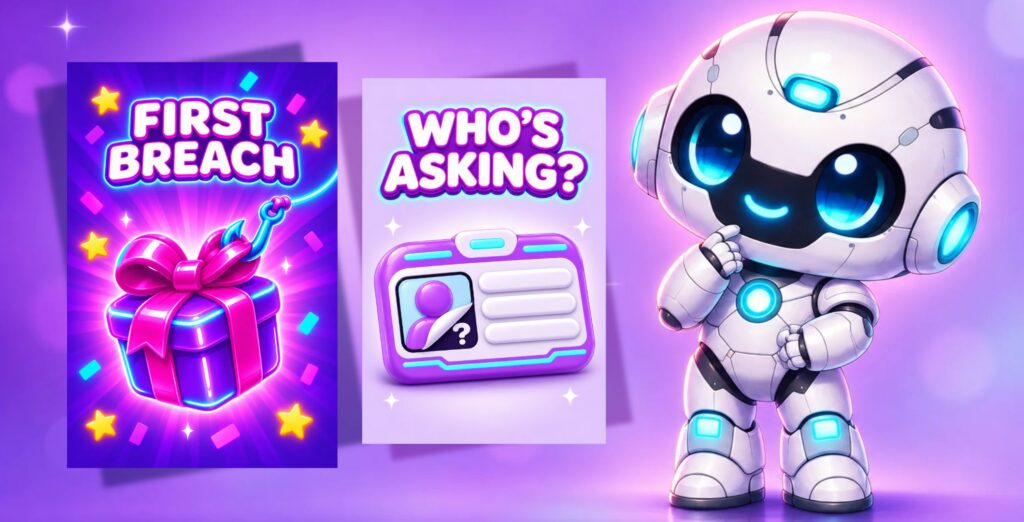
FIRST BREACH: Can You Spot a Fake Prize?
This deck is packed with the tricks kids actually meet. “You won” pop-ups. Free game currency (yes, just like the free Robux scam). Parcels you have to pay for before they arrive. Messages that say your account’s locked.
WHO’S ASKING?: Can You Spot a Fake Friend?
This one’s about the people kids meet in games. One card reads: “Request: SkyFox22 says you’ve played before. You don’t remember.” ASK AN ADULT or ACCEPT?
The whole deck teaches one rule: only add people you know in real life. Chatting about the game with other players is fine. Sharing your details isn’t. Think of it as stranger danger online, without the scary bits. Cyberlingz has no chat, so your child practises spotting a fake friend without a single real stranger being able to message them.
Each deck has 100 cards, so it takes a while before they’ve seen them all. And yes, we’ll be adding more decks regularly!
Why Online Safety Games for Kids Beat Another Talk
You’ve probably had “the talk” about scams and strangers. Maybe more than once. The trouble is, a talk is something your child hears. A scam is something that happens fast, on a screen, when you’re not in the room.
Research backs this up. A 2020 review of youth internet safety education found that warning messages alone aren’t effective, and that what works better is practising the skill, more than once (Finkelhor et al., 2020).
And it’s not a far-off problem:
- A third of UK primary teachers say a child in their class has reported being scammed online (BBC Teach and Censuswide, 2025).
- In South Africa, 21% of 9-11-year-olds who use the internet had sent personal information to someone they’d never met (Disrupting Harm in South Africa, 2022).
- In the UK, about a third of 10-12-year-olds who game online play with or against people they don’t know (Ofcom, 2025).
If you’ve been googling “is Roblox safe for 9 year olds”, you’re not alone. Settings help (here’s what changed with Roblox’s age checks), but your child’s own judgement goes with them into every game.
Play It Together Tonight
If you’ve been wondering how to talk to kids about online safety without it turning into a lecture, a wrong answer on a game card is the easiest way in. That’s what makes online safety games for kids fun.
- Play the first round side by side. Don’t explain anything. Just watch.
- After a tricky card, ask “How did you know?” Let them teach you.
- Swap seats and let your child watch you play. Grown-ups get caught too, and that’s when the good conversations start.
Has your child already been caught out by a scam? Here’s what to do right now.
Quick Answers
Is Quick Scan free?
Yes. Quick Scan and both decks are free for every player. You just need a free Cyberlingz account.
What age is it for?
Ages 8-13. Early readers can switch the timer off in the pause menu.
Do I need to download anything?
No. It plays in a browser and runs best in Chrome or Edge on Windows, Chromebooks and Android. It needs Wi-Fi.
Can my child chat to strangers in Cyberlingz?
No. There’s no chat at all, no ads and no data sold. There’s more on our Cyberlingz page.
I’m a teacher. Can my class play?
Yes. Learners join with a class code, their first name and a PIN, so they don’t need email addresses. Here are 4 ten-minute online safety activities to go with it.
Your Turn
A fake prize and a fake friend have one thing in common. They only work if your child doesn’t stop to check. Quick Scan turns stopping to check into a habit. That’s the learning part of online safety games for kids.
Quick Scan is free for every player. Sign up at cyberlingz.com, pick a deck in the Cyber Arcade, and see who gets the higher score.
Be secure!